
Staying organized as an electrical contractor just got easier. Photos, notes, load calcs and panel schedules, all filed under the job.
Free for 30 days, then from $25 a month plus tax. Cancel any time. Free on Google Play. The iPhone app is in review with the App Store.
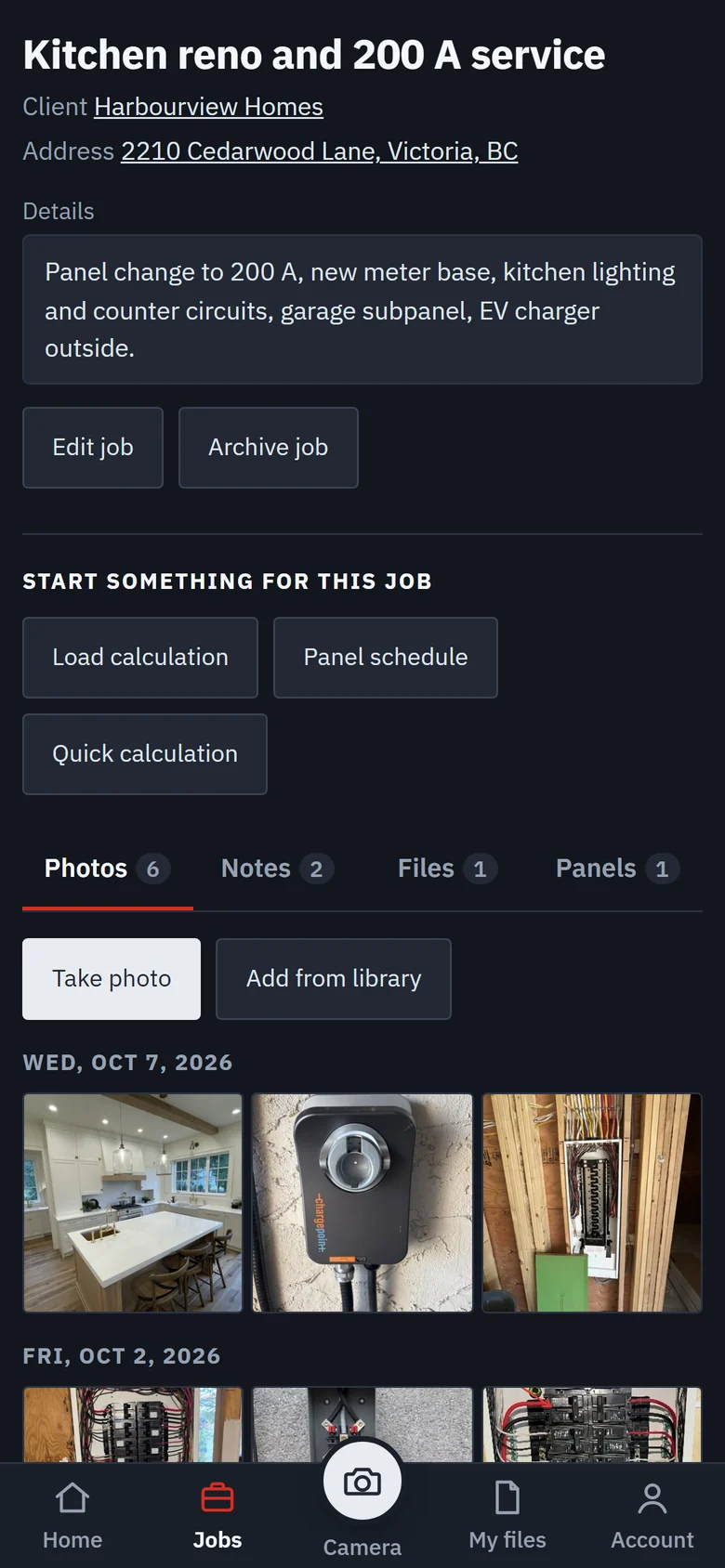
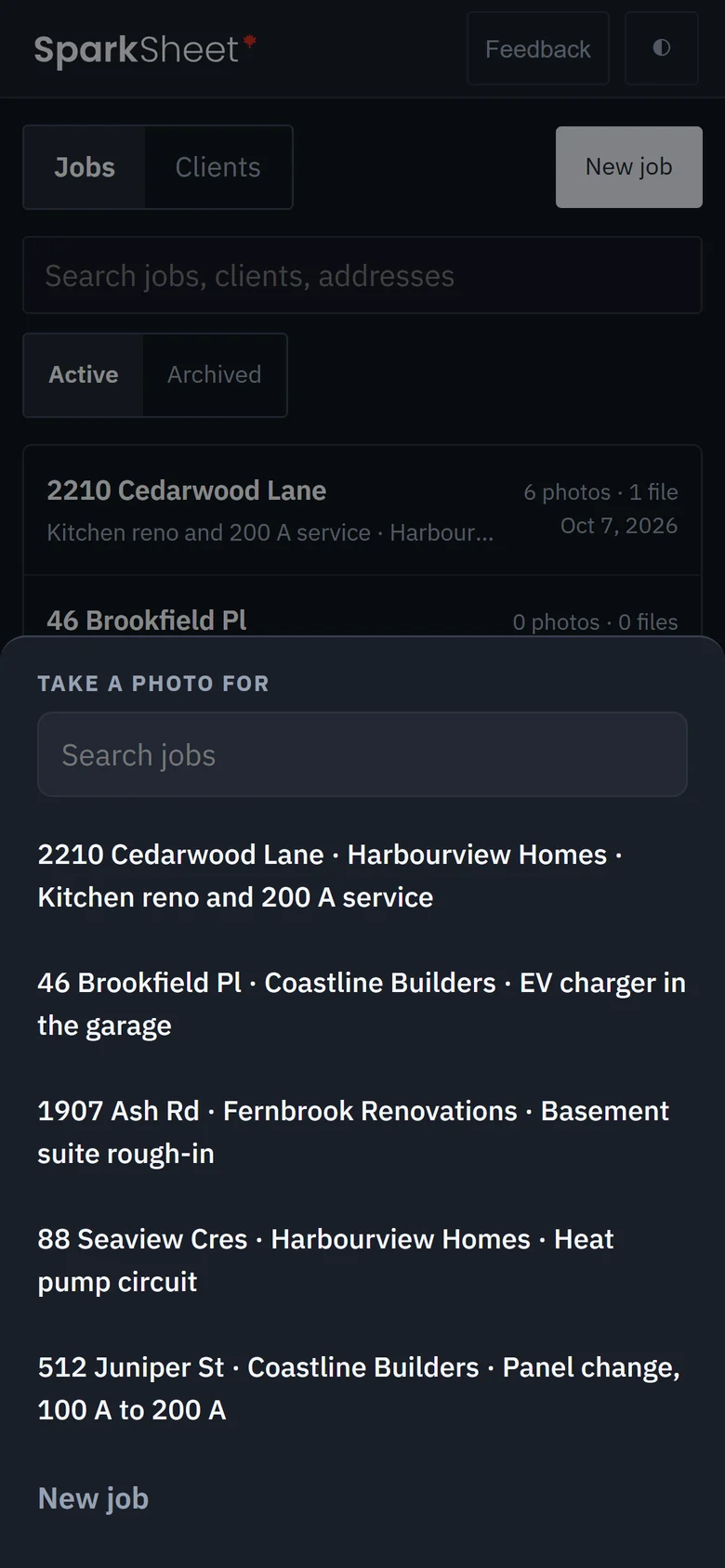
Tap the camera, pick the job, shoot. Each photo files under that job by the day it was taken, with a note on it. The panel photo from last month is on that job, not somewhere in your camera roll.
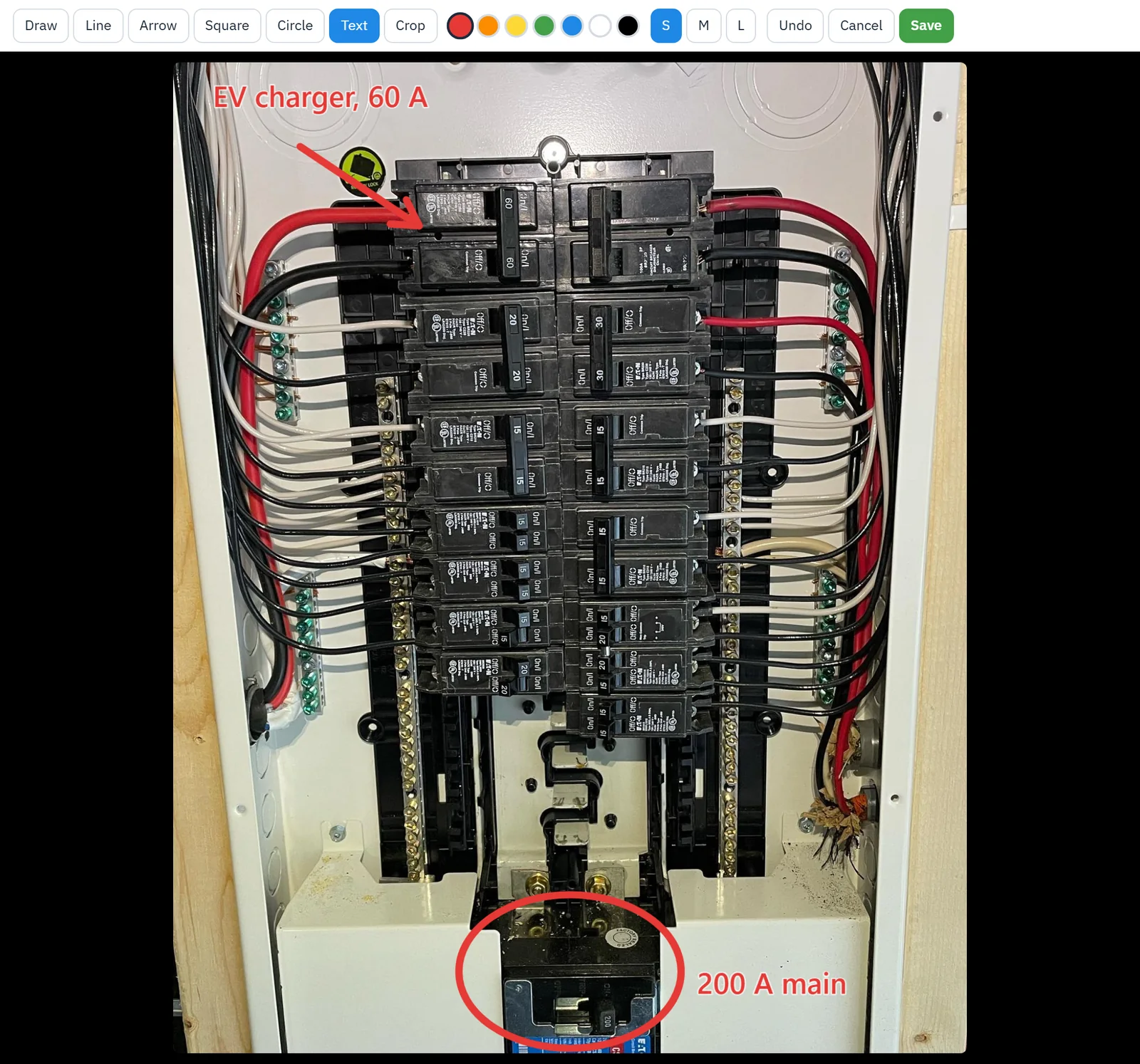
Circle the problem, add an arrow, write on the photo, then send it to the customer or the crew. The original is kept, so you can always go back to it.
Open the plan PDF and place receptacles, lights and switches with the symbols an inspector already reads. The count builds as you go.
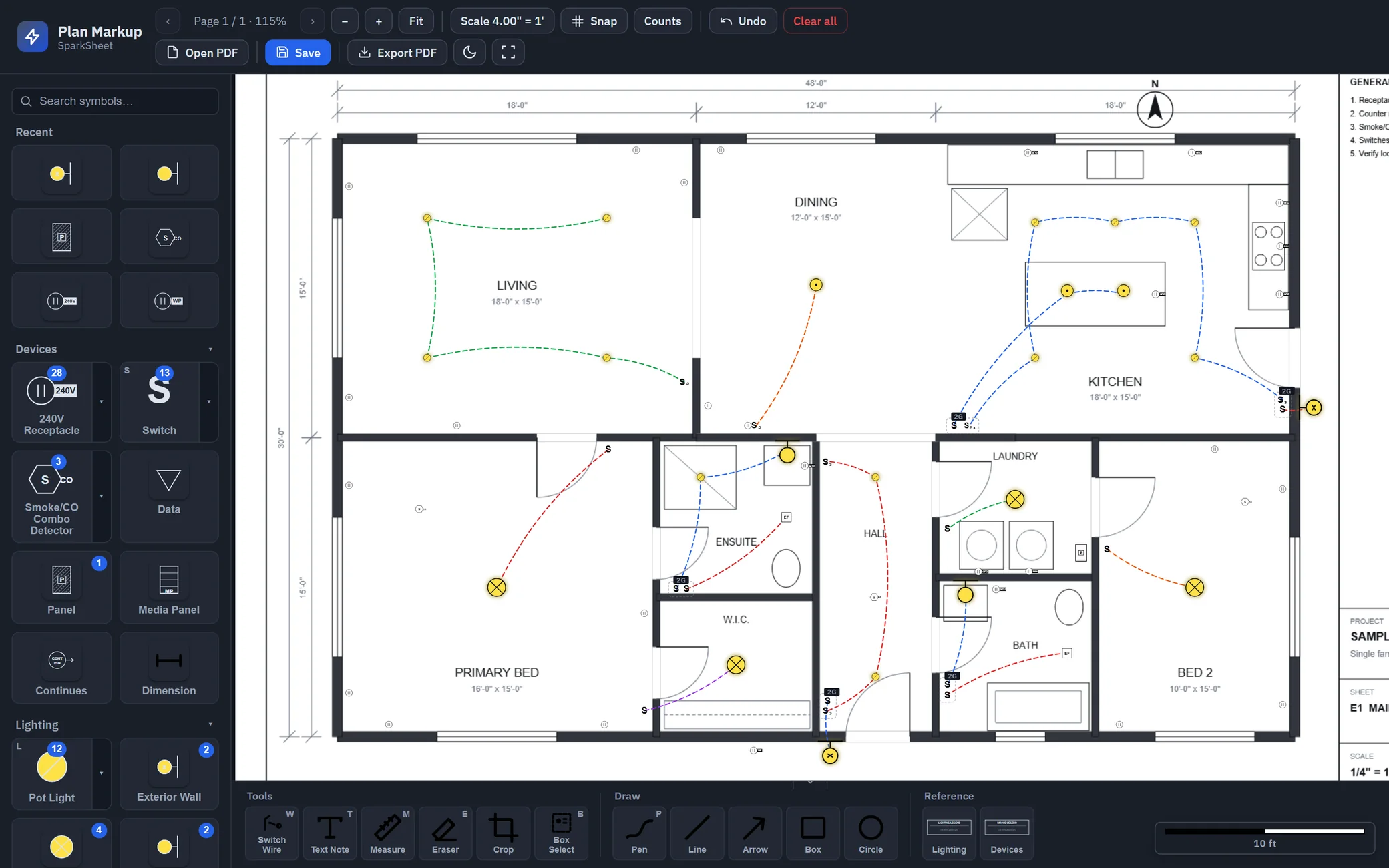
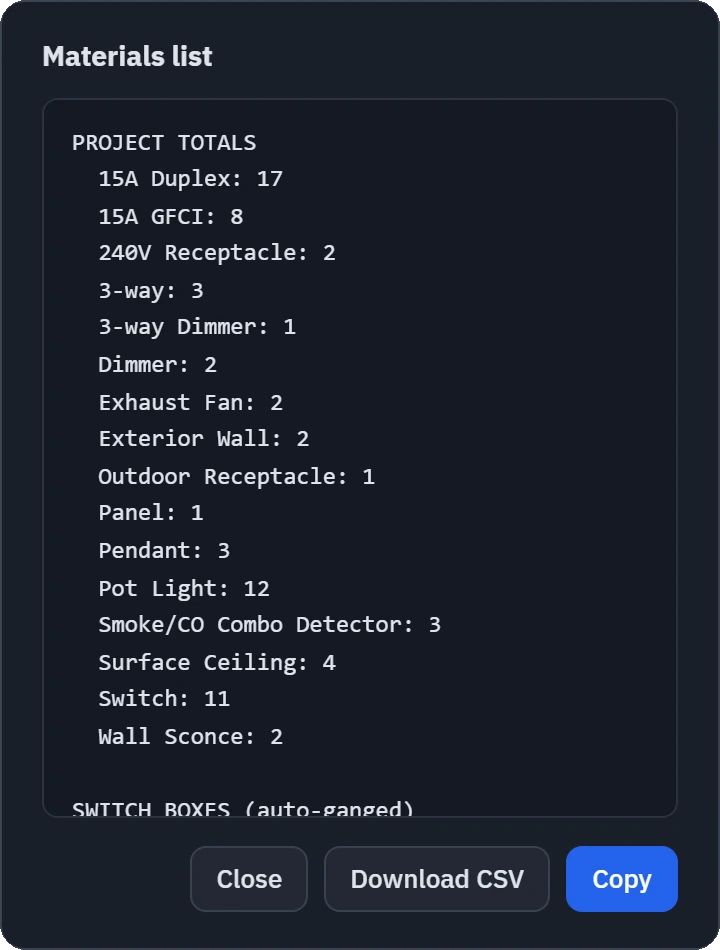
Every PDF carries your logo and licence number, and files under the job.
Single house, house with a suite, row housing or apartments. Each line shows its CEC 2024 rule, and the service size is at the bottom.
Circuit by circuit. Tandems, double poles and quads land in the right slots. Save it to the job and print it for the panel door.
Voltage drop, conduit fill, box fill, bonding, baseboard heat and Ohm's law.
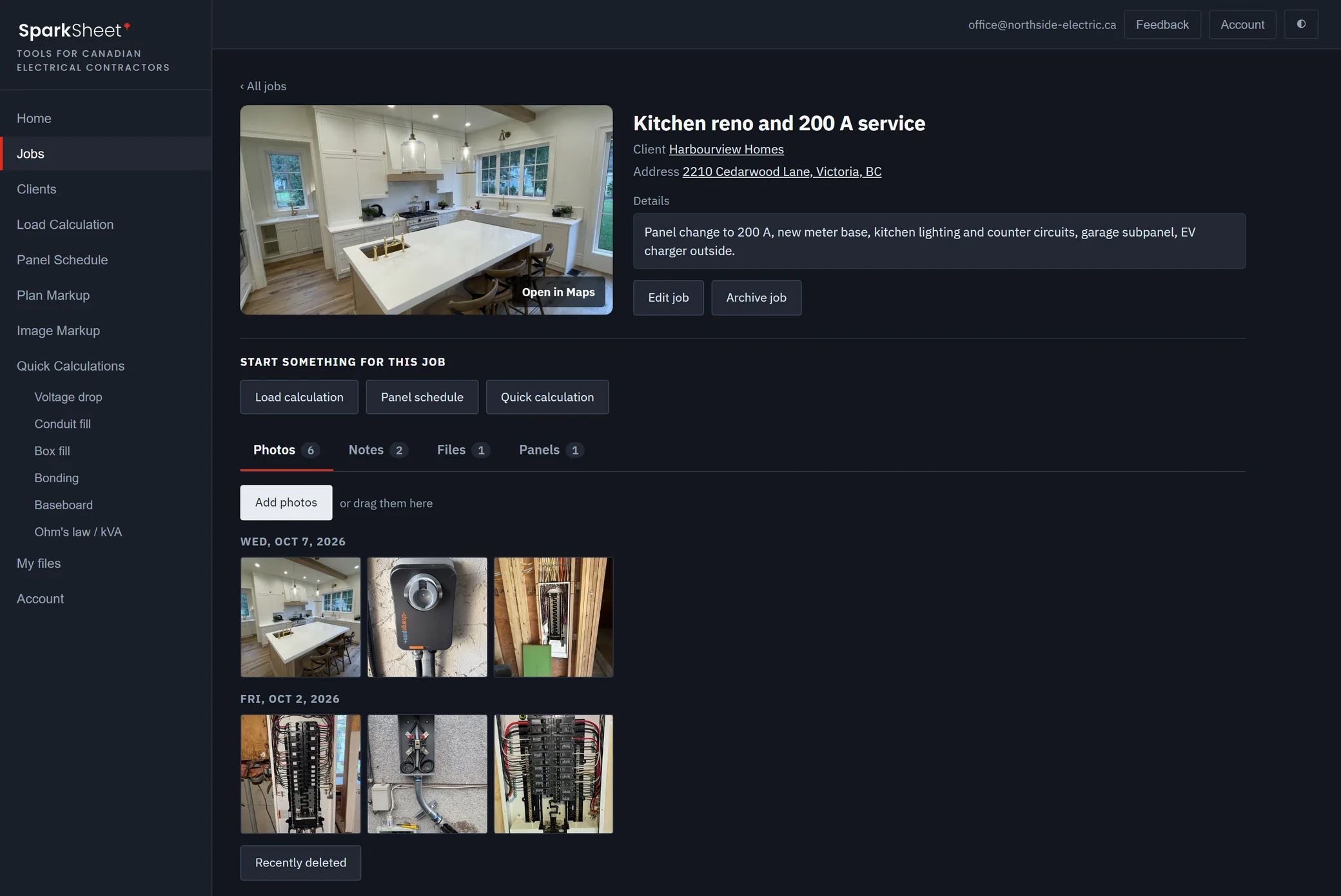
Client, address, Street View, notes, photos and files, together on the job.
Every PDF you make, on any phone or computer you sign in on.
Free on Google Play, with the multi-shot camera, spoken notes and uploads that run in the background. The iPhone app is in review with the App Store. Email us for the iPhone beta.
Every plan has every tool. Pick your crew size. A year costs the same as 10 months.
Founding price: join now and your price never goes up for as long as you stay subscribed.
Prices are in Canadian dollars, plus tax. The first 30 days are free and nothing is charged until the trial ends.
No. It runs in the browser on any phone, tablet or computer. There is a free Android app on Google Play, and the iPhone app is in review with the App Store. Plan markup is easier on a laptop or a tablet.
Yes. You add a card when you sign up and nothing is charged for 30 days. Cancel before then and you pay nothing.
They stay yours. Your plan runs to the end of what you paid for. After that you can still sign in, open your jobs and photos, and download everything.
Yes. Plans go up to 3, 10, 25 or 50 people. One price for the crew, invite people with a link, and everyone works on the same jobs. Change the size any time from the Account page.
Yes. It follows CEC 2024 and shows the rule beside every line so it can be checked. SparkSheet is an independent tool, not affiliated with or endorsed by CSA Group, and calculations are yours to verify against the edition your jurisdiction has adopted.
We run an electrical company on Vancouver Island and built these for our own crew. The load calc spreadsheet everyone passes around was a mess, panel schedules were getting hand written twice, and we were tired of paying per person for a photo app. They've held up on our jobs, so we're sharing them.
Add a card and use every tool free for 30 days. Nothing is charged until the trial ends.
Start free trialFrom $25 a month after that, plus tax. Cancel any time.